Step 1: Prepare a clear braille image
Use a sharp PNG, JPEG or WebP image under 4 MB. Keep the line straight and uncropped. For embossed braille, use side lighting so raised dots cast visible shadows.
A practical workflow for turning a braille photograph or scan into editable cells and readable English without hiding uncertain recognition results.
Use a sharp, straight image with visible dots, even spacing and no cropped rows.
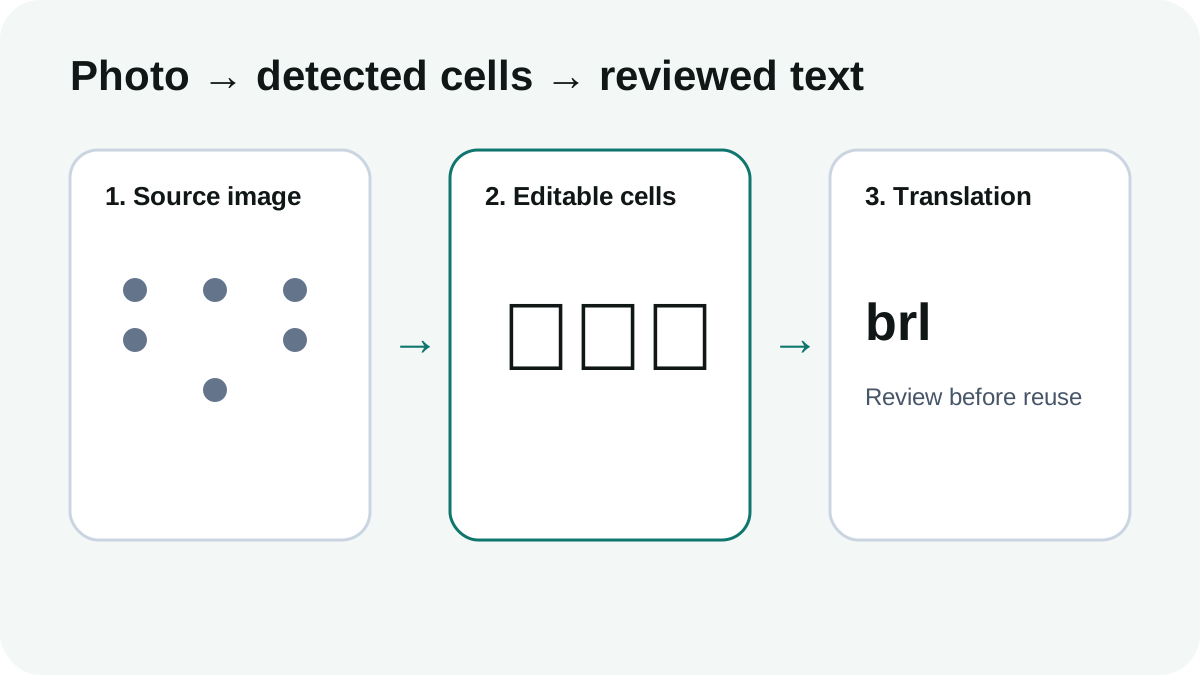
Braille.tools detects the dot grid before applying language rules and keeps the Unicode cells editable.
Correct recognition mistakes first, then translate the reviewed cells with UEB Grade 1 or Grade 2.
Use confidence and uncertain-cell information as review aids, not as a guarantee of publication accuracy.
Use a sharp PNG, JPEG or WebP image under 4 MB. Keep the line straight and uncropped. For embossed braille, use side lighting so raised dots cast visible shadows.
Open the Braille.tools image reader and upload the prepared image. The reader first looks for dot-shaped components and aligns them to braille cells.
Inspect the editable Unicode braille result before translation. Correct missing or extra dots when glare, blur, perspective or weak contrast affected detection.
Choose the appropriate UEB grade and translate the reviewed cells. Image detection and linguistic translation are separate steps, which makes errors easier to locate.
Compare the result with the source and review uncertain cells. Professional publication, signage, medical, legal and safety-critical material requires qualified human approval.
A phone camera can capture embossed braille, but recognition depends on focus, perspective and lighting. Side lighting usually makes raised dots easier to distinguish than flat frontal lighting.
Common causes include blur, glare, low contrast, shadows crossing the cells, a steep camera angle and cropped rows. Retake the image straight-on and review the editable cells before translation.
The current image reader accepts PNG, JPEG and WebP files up to 4 MB.
Image recognition identifies braille cells. After the cells are reviewed, the translation engine applies the selected UEB Grade 1 or Grade 2 language rules.
No automated image result should be treated as publication-ready without review. Use a qualified braille transcriber or accessibility specialist for professional and safety-critical material.