Step 1: Sign in before selecting the document
PDF and DOCX processing requires an account and an eligible plan. Signing in first prevents a long extraction from ending at an access prompt.
A review-first workflow for extracting document content, translating it to UEB and producing BRF or verification outputs without hiding structural corrections.
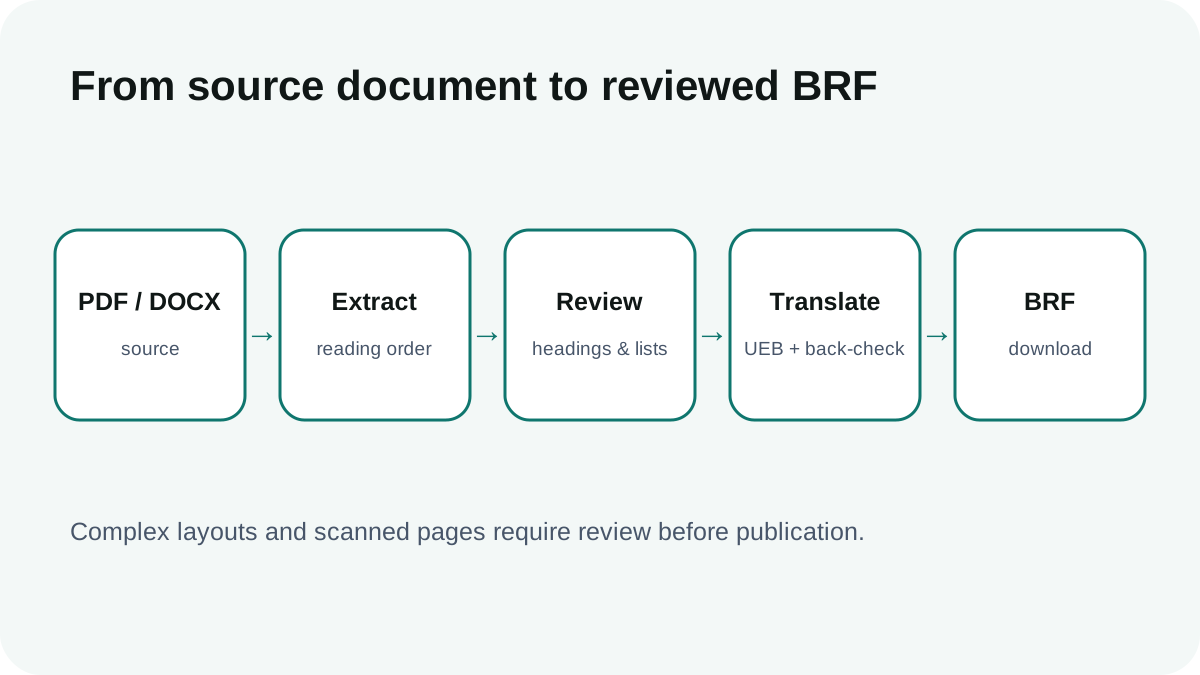
Read the document source and surface extraction warnings before translating it.
Record heading, paragraph, page-boundary and repeated header/footer corrections where detected.
Use back-translation and a correction ledger to see what changed during processing.
Create BRF, reports and publication packages according to the active plan and review status.
PDF and DOCX processing requires an account and an eligible plan. Signing in first prevents a long extraction from ending at an access prompt.
Choose a native PDF or DOCX document smaller than 10 MB. The current beta supports extracted content up to 20,000 characters per document.
Braille.tools extracts readable text, separates pages and restores common structure where possible. Review warnings and recorded corrections before relying on the source text.
Translate the reviewed source with UEB Grade 1 or contracted Grade 2. The document workflow also generates back-translation and quality information to support review.
Resolve flagged differences, choose an appropriate layout preset and export the available TXT, BRF, report or publication package for the current plan.
Scanned PDFs require OCR and may produce warnings or uncertain text. Review OCR output carefully before translation; native text PDFs are generally more reliable.
The current beta accepts PDF and DOCX files under 10 MB and processes up to 20,000 extracted characters per document.
Yes. Available document exports include BRF and related review outputs according to the active plan.
No. Complex tables, columns, footnotes, equations and visual layouts may need manual restructuring. The correction report helps identify automated changes but does not guarantee publication formatting.
Not automatically. Review the extracted source, translation, back-translation, layout and correction report, then obtain qualified approval for professional publication.